
Introduction
Microsoft has built one of the most reliable ecosystems for software development. From lightweight code editors to enterprise-level DevOps platforms, the company offers tools that help developers write, test, and deploy applications faster. Many modern development workflows depend on Microsoft technologies because they integrate smoothly with cloud services, collaboration platforms, and open-source frameworks. Tools such as Visual Studio Code, Visual Studio, and Azure DevOps support multiple programming languages and platforms, making them suitable for beginners and experienced engineers alike. Whether you are building web apps, cloud systems, or enterprise software, Microsoft’s development tools provide stability, strong documentation, and an active developer community that continuously contributes extensions, integrations, and learning resources.
What Makes Microsoft a Leader in Developer Tools
Microsoft’s leadership in developer tooling comes from its strong focus on productivity and integration. Over the years, the company has invested heavily in open-source technologies, cloud infrastructure, and AI-assisted development. Platforms such as GitHub and Microsoft Azure work closely with Microsoft’s development environment, creating a seamless workflow from coding to deployment. Developers can write code locally, manage repositories, automate builds, and deploy applications to the cloud without leaving the ecosystem. This connected workflow reduces complexity and helps teams move faster. Microsoft also supports multiple programming languages, frameworks, and operating systems, which means developers can build almost any type of application while still benefiting from consistent tools, reliable updates, and strong enterprise-grade security.
Key Features Developers Look for in Microsoft Tools
When developers choose tools for building applications, they typically look for solutions that improve productivity and reduce repetitive work. Microsoft tools are designed with these goals in mind. Features such as intelligent code completion, advanced debugging systems, and integrated version control make development smoother and faster. Many Microsoft tools also support automation through CI/CD pipelines, which allows teams to test and deploy code automatically. Integration with cloud services like Microsoft Azure further simplifies deployment and scaling. Developers also appreciate the extensive extension ecosystems that expand functionality based on project needs. These capabilities make Microsoft’s developer tools practical for individual programmers, startup teams, and large enterprises managing complex software projects.
5 Best Developer Tools from Microsoft
1. Visual Studio Code – The Lightweight Yet Powerful Code Editor
Visual Studio Code is one of the most widely used code editors in the world. It is lightweight, fast, and designed for modern development workflows. Developers use it to write code in languages such as JavaScript, Python, C++, and many others. Because it runs on Windows, macOS, and Linux, it has become a preferred choice for cross-platform development. The editor provides built-in features like syntax highlighting, intelligent suggestions, and integrated terminal access. Developers can also customize their environment using thousands of extensions that add support for frameworks, debugging tools, and productivity features. This flexibility makes Visual Studio Code suitable for both beginners learning programming and experienced developers managing complex projects.
Key Features Developers Love
One reason developers enjoy working with Visual Studio Code is its balance between simplicity and powerful functionality. The editor includes IntelliSense, which provides smart code suggestions while developers type. It also offers built-in Git integration, making it easy to track code changes and collaborate with teams. Another popular feature is the extension marketplace, where developers can install tools that support different languages, frameworks, and cloud services. The integrated debugging environment allows developers to test and fix code without leaving the editor. These features combine to create a development environment that feels responsive, customizable, and efficient. As a result, many developers consider VS Code an essential tool for everyday coding tasks.
Why Developers Prefer VS Code
Developers often choose Visual Studio Code because it offers a clean interface while still delivering advanced development capabilities. The editor launches quickly, uses system resources efficiently, and works smoothly even on large projects. It also integrates well with modern development technologies, including containerization tools, cloud services, and version control platforms. Another advantage is the strong community behind VS Code. Developers frequently publish extensions that add new functionality, improve performance, or simplify workflows. This constant innovation allows the editor to evolve alongside modern programming trends. For many developers, VS Code strikes the perfect balance between a lightweight text editor and a fully featured development environment.
Best Use Cases for VS Code
Visual Studio Code works well for a wide range of development tasks. Web developers commonly use it to build applications with JavaScript frameworks like React, Angular, and Vue. Backend developers rely on it for writing APIs in languages such as Python, Node.js, and Go. It is also popular for DevOps workflows, where developers manage configuration files, automation scripts, and container setups. Because the editor supports remote development, teams can even connect to cloud environments or containers directly from their local workspace. This flexibility makes VS Code an excellent choice for freelancers, startup teams, and large development organizations that need a versatile and reliable coding environment.
👉 You might also like: What Is Eporer? Complete 2026 Guide
2. Visual Studio – The Complete IDE for Professional Development
Microsoft Visual Studio is a powerful integrated development environment designed for building complex applications. Unlike lightweight editors, it provides a complete development suite that includes coding, debugging, testing, and deployment tools in one place. Developers often use Visual Studio to build desktop applications, enterprise software, and cloud services. The IDE supports languages such as C#, C++, and Python while offering deep integration with the .NET ecosystem. Because of its rich feature set, many professional developers rely on Visual Studio when working on large-scale projects that require advanced debugging, performance analysis, and collaborative development workflows.
Core Features and Capabilities
One of the main strengths of Microsoft Visual Studio is its comprehensive development toolkit. The IDE includes advanced debugging capabilities that allow developers to step through code, inspect variables, and identify issues quickly. Integrated testing tools help teams run unit tests and maintain code quality during development. Visual Studio also offers powerful code refactoring features that make it easier to restructure and optimize existing code without introducing errors. In addition, the environment provides intelligent suggestions and project management tools that simplify complex software development. These features make Visual Studio particularly useful for developers working on large applications where performance, stability, and maintainability are critical.
Visual Studio vs VS Code
Developers often compare Microsoft Visual Studio with Visual Studio Code because both tools come from Microsoft, but serve different purposes. Visual Studio is a full integrated development environment designed for large applications and enterprise projects. It includes built-in tools for debugging, testing, and performance analysis. VS Code, on the other hand, is a lightweight editor that focuses on speed and flexibility through extensions. Many developers prefer Visual Studio for enterprise software and .NET applications, while they use VS Code for web development, scripting, and lightweight coding tasks. Choosing between the two usually depends on project complexity and development requirements.
Who Should Use Visual Studio
Microsoft Visual Studio is best suited for professional developers and development teams building large or complex applications. Enterprises often use it for creating Windows desktop software, enterprise services, and large-scale applications built on the .NET framework. It is also widely used by game developers working with engines like Unity. Because the IDE includes advanced testing and debugging tools, it helps teams maintain high code quality throughout the development process. Developers who need a fully integrated environment with strong performance analysis and project management capabilities will usually benefit the most from using Visual Studio.
3. Azure DevOps – The Ultimate DevOps Platform
Azure DevOps is a cloud-based platform that helps development teams plan, build, test, and deploy software efficiently. It brings together multiple tools needed for modern DevOps workflows, allowing teams to manage the entire development lifecycle in one environment. Developers can track project progress, collaborate on code, automate builds, and deploy applications to the cloud. The platform integrates deeply with Microsoft Azure, making it especially useful for organizations that run their infrastructure on Microsoft’s cloud services. Because of its flexibility and scalability, Azure DevOps is widely used by startups and large enterprises that want to streamline development and improve collaboration across distributed teams.
Key Components
Azure DevOps includes several core services that support different stages of the development lifecycle. Azure Boards helps teams plan projects, manage tasks, and track progress using agile workflows. Azure Repos provides secure Git repositories where developers can collaborate on code and manage version control. Azure Pipelines enables automated building, testing, and deployment through continuous integration and continuous delivery processes. Azure Test Plans supports manual and automated testing to ensure software reliability. Together, these tools create a complete DevOps environment where teams can manage code, monitor progress, and deliver updates faster while maintaining strong quality standards throughout the development cycle.
Benefits for Development Teams
Development teams benefit from using Azure DevOps because it connects every stage of the software development process. Instead of using separate tools for project management, version control, and deployment, teams can manage everything in a single platform. This unified workflow improves collaboration between developers, testers, and project managers. Automated pipelines also reduce manual work by automatically building and testing code whenever changes are made. Another advantage is the platform’s integration with tools such as GitHub and Microsoft Azure, which makes cloud deployment easier. These capabilities help teams release software faster while maintaining consistent quality and performance.
When to Use Azure DevOps
Azure DevOps is particularly useful for teams that want to adopt DevOps practices and automate their development workflows. Organizations that build cloud applications, enterprise software, or large web platforms often rely on it to manage complex development pipelines. The platform works well for distributed teams because it supports collaboration across different locations and departments. It is also valuable for companies that need strong project tracking and reporting tools alongside code management. By combining planning, development, testing, and deployment in one environment, Azure DevOps helps teams deliver updates faster while maintaining clear visibility into every stage of the software lifecycle.
👉 You might also like: Meaimee 3: AI Productivity Tool for Teams & Creators
4. GitHub Copilot – AI-Powered Coding Assistant
GitHub Copilot is an AI-powered coding assistant that helps developers write code faster and more efficiently. Developed through a collaboration between GitHub and Microsoft, the tool uses advanced machine learning models to suggest code snippets, functions, and entire blocks of code while developers type. It integrates directly with popular development environments such as Visual Studio Code and Microsoft Visual Studio. By analyzing the context of the code being written, Copilot can provide intelligent suggestions that help developers solve problems more quickly and reduce the time spent on repetitive coding tasks.
How AI Helps Developers Write Code Faster
AI tools like GitHub Copilot are changing how developers approach coding. Instead of writing every line manually, developers can rely on AI-generated suggestions that speed up common tasks. Copilot analyzes the surrounding code and predicts what the developer might want to write next. It can generate functions, suggest logic structures, and even help create documentation comments. This assistance allows developers to focus more on solving problems rather than typing repetitive code. Over time, many developers find that AI coding assistants help improve productivity, especially when working with unfamiliar libraries or frameworks where quick guidance can save significant development time.
Key Features of Copilot
One of the most useful features of GitHub Copilot is its ability to generate code suggestions in real time. As developers type, the tool recommends complete lines or blocks of code that match the context of the project. It supports many programming languages, including Python, JavaScript, and C#. Another valuable feature is its ability to convert natural language comments into code. Developers can describe what they want to build, and Copilot attempts to generate the appropriate implementation. Because it integrates with tools like Visual Studio Code, developers can use AI assistance directly within their existing workflow without changing their development environment.
Pros and Limitations of AI Coding Tools
AI assistants such as GitHub Copilot provide many benefits, but developers should also understand their limitations. The tool can significantly increase productivity by suggesting solutions and reducing repetitive coding tasks. It also helps developers explore unfamiliar programming libraries by generating example code. However, AI-generated code may sometimes require review and adjustment to ensure accuracy and security. Developers still need to understand the logic behind the suggestions rather than relying on them blindly. When used thoughtfully, AI coding assistants can become valuable partners in the development process, helping programmers write code faster while still maintaining control over the final implementation.
5. .NET SDK and CLI – Essential Tools for Modern App Development
The .NET SDK is a development toolkit used for building modern applications across multiple platforms. It provides everything developers need to create, build, test, and run applications using the .NET Framework. The toolkit includes compilers, libraries, and command-line utilities that simplify development workflows. Developers can use it to build web applications, desktop software, mobile apps, and cloud services. Because .NET supports Windows, macOS, and Linux, it has become a popular choice for cross-platform development. Many developers combine the .NET SDK with tools like Visual Studio or Visual Studio Code to create a flexible development environment that supports modern programming practices.
Key Features of .NET Development Tools
The development tools included in the .NET ecosystem provide powerful capabilities that simplify application development. One of the most useful components is the command-line interface, which allows developers to create projects, manage dependencies, and run applications directly from the terminal. The SDK also includes built-in libraries that support web development through frameworks like ASP.NET Core. These tools enable developers to build high-performance applications while maintaining clean and organized code structures. Because the platform supports multiple languages such as C# and F#, developers can select the different programming style that fits their project demands while still benefiting from the performance and scalability of the .NET system..
Benefits of Building Cross-Platform Applications
One major advantage of using the .NET SDK is its strong support for cross-platform development. Developers can write code once and run it on multiple operating systems without major changes. This flexibility allows teams to create applications that work on Windows servers, Linux environments, and cloud platforms. The framework also integrates easily with cloud services like Microsoft Azure, making it easier to deploy scalable applications. Because of these capabilities, many companies use .NET to build modern web services and enterprise platforms. The consistent development environment helps teams maintain performance and reliability while supporting a wide range of deployment scenarios.
Common Use Cases for .NET Developers
Developers commonly use the .NET SDK to build different types of applications. Web developers often create APIs and web platforms using frameworks like ASP.NET Core. Enterprise teams use .NET for building large business applications that require strong security and performance. It is also widely used for developing cloud-based services that run on platforms like Microsoft Azure. In addition, developers create desktop applications, automation tools, and backend systems using the same ecosystem. This versatility allows development teams to use a consistent technology stack across different types of projects while maintaining efficient development workflows and scalable architectures.
Comparison of the Best Microsoft Developer Tools
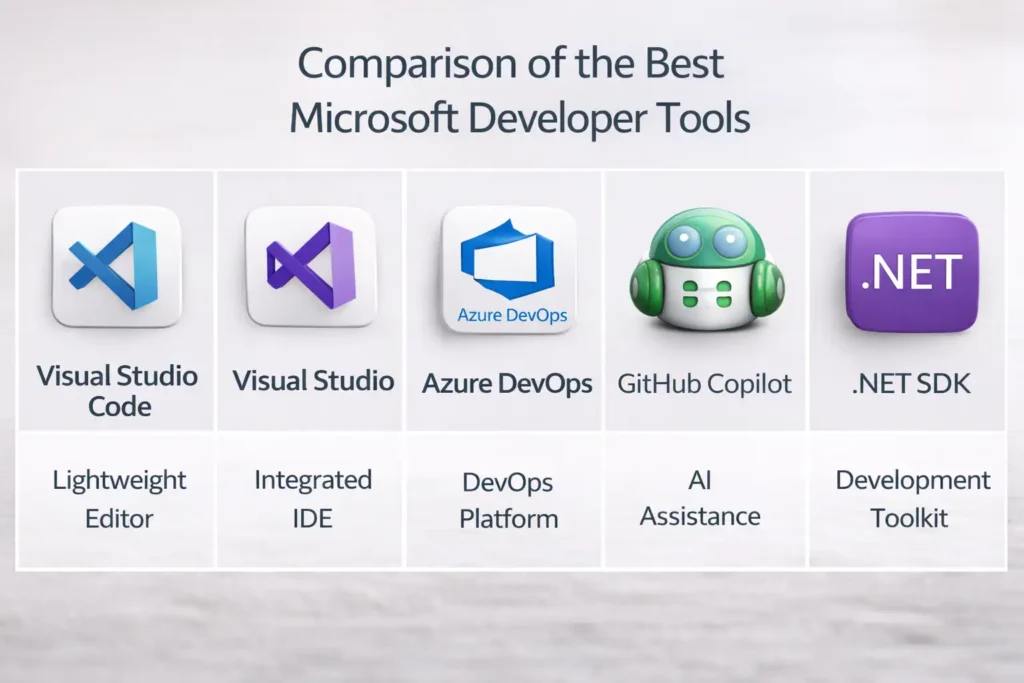
Choosing the right development tool depends on the type of project and the workflow a team follows. Microsoft provides tools that cover different stages of the development lifecycle, from writing code to managing deployments. For example, Visual Studio Code focuses on lightweight coding and flexibility, while Microsoft Visual Studio offers a full integrated development environment for complex applications. Tools such as Azure DevOps help teams automate development pipelines, while GitHub Copilot introduces AI assistance to speed up coding tasks. The .NET SDK, on the other hand, provides the foundation for building and running applications across platforms. Together, these tools form a powerful ecosystem that supports modern software development from start to finish.
Feature Comparison Overview
When comparing Microsoft developer tools, it helps to look at the primary purpose of each platform. Visual Studio Code is best known for fast editing, extensions, and cross-platform support. Microsoft Visual Studio focuses on full-scale development with advanced debugging and testing capabilities. Azure DevOps provides project management and automation tools that support continuous integration and deployment. GitHub Copilot enhances productivity by offering AI-driven coding suggestions. Finally, the .NET SDK provides the framework and tools necessary for building applications themselves. Each tool serves a different role, which allows developers to combine them and create a highly efficient development workflow.
Which Microsoft Developer Tool Should You Choose
The best tool ultimately depends on the type of development work being done. Developers who need a fast and flexible editor often prefer Visual Studio Code because of its lightweight design and large extension ecosystem. Teams building complex enterprise applications usually rely on Microsoft Visual Studio for its advanced debugging and testing tools. Organizations that want to automate builds and manage development pipelines frequently choose Azure DevOps. Meanwhile, developers interested in improving productivity may benefit from AI assistance through GitHub Copilot. When building applications using the Microsoft ecosystem, the .NET SDK remains a foundational component for development.
How Developers Use Microsoft Tools in Real Projects

Web Development
Modern web development often relies on tools from the Microsoft ecosystem to streamline coding and deployment. Developers commonly write frontend and backend code using Visual Studio Code because it supports many programming languages and frameworks. For backend development, frameworks within the .NET ecosystem help developers create scalable APIs and web applications. Teams may also use GitHub Copilot to speed up repetitive coding tasks and generate helpful code suggestions. Once the application is ready, services like Microsoft Azure allow developers to deploy and manage web platforms efficiently. This combination of tools helps teams build modern web applications faster while maintaining strong performance and reliability.
Cloud Application Development
Cloud applications require tools that support scalable infrastructure and automated deployment workflows. Developers often use Microsoft Azure as the cloud platform while managing development tasks through Azure DevOps. This setup allows teams to automate builds, run tests, and deploy updates without manual intervention. Code is typically written using editors such as Visual Studio Code or full development environments like Microsoft Visual Studio. The integration between these tools ensures that developers can move smoothly from writing code to deploying applications. As a result, companies can release updates more frequently while maintaining a stable and reliable cloud infrastructure.
Enterprise Software Development
Large organizations often rely on Microsoft tools when developing enterprise software systems. Applications built with the .NET Framework can handle complex business logic and large data processing tasks. Developers frequently use Microsoft Visual Studio to manage large projects because it includes advanced debugging, testing, and performance analysis tools. Teams may also integrate project management and automation features through Azure DevOps. These tools allow organizations to coordinate work across multiple departments and maintain consistent development standards. With strong security features and scalable infrastructure, Microsoft’s development ecosystem supports the complex requirements of modern enterprise applications.
DevOps and CI/CD Automation
DevOps practices focus on improving collaboration between development and operations teams. Platforms such as Azure DevOps make it easier to automate building, testing, and deploying applications through continuous integration and delivery pipelines. Developers can push code changes to repositories and automatically trigger builds and tests. Editors like Visual Studio Code allow developers to manage repositories and make updates quickly. AI tools such as GitHub Copilot can also speed up scripting and configuration tasks. By combining these tools, organizations can release updates faster while maintaining consistent quality checks and reducing manual deployment work.
Advantages of Using Microsoft Developer Tools
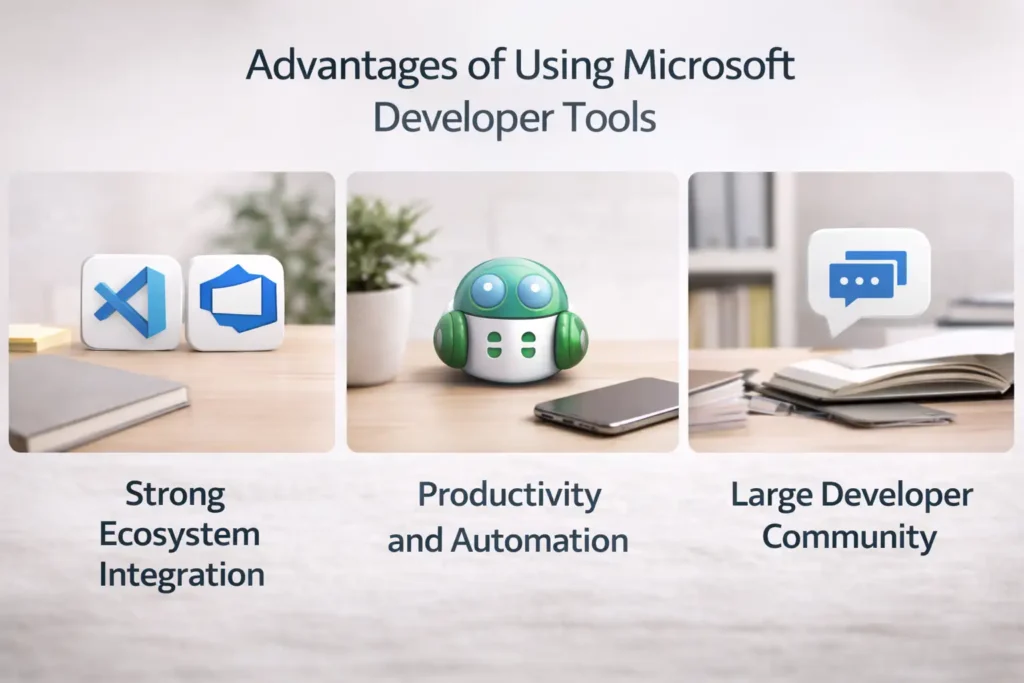
Strong Ecosystem Integration
One of the biggest strengths of Microsoft developer tools is how well they work together. Platforms such as Visual Studio Code, Azure DevOps, and Microsoft Azure are designed to integrate smoothly with each other. This allows developers to move from writing code to testing and deploying applications without switching between disconnected systems. The consistent environment also simplifies collaboration between teams working on different parts of the same project. Because these tools share similar workflows and interfaces, developers can quickly learn new tools within the ecosystem. This strong integration ultimately helps teams work more efficiently while reducing the complexity of modern development pipelines.
Productivity and Automation Features
Microsoft tools are designed to improve developer productivity by reducing repetitive tasks and simplifying complex workflows. Editors such as Visual Studio Code provide intelligent code suggestions, while AI assistants like GitHub Copilot help generate code automatically. Platforms such as Azure DevOps automate building, testing, and deployment processes through CI/CD pipelines. These automation features help teams release updates faster while maintaining consistent quality standards. By reducing manual work and providing helpful development insights, Microsoft’s ecosystem allows developers to focus more on solving real problems and building innovative software solutions.
Large Developer Community
Another advantage of Microsoft development tools is the large and active developer community that supports them. Platforms such as Visual Studio Code have extensive extension marketplaces where developers share plugins and productivity tools. Communities around technologies like .NET and Azure DevOps also provide tutorials, documentation, and open-source projects that help developers learn quickly. Because so many organizations use these tools, developers can easily find support through forums, documentation, and community discussions. This collaborative environment encourages innovation and ensures that developers always have access to helpful resources when solving technical challenges.
Potential Drawbacks to Consider
Although Microsoft developer tools provide many benefits, developers should also consider some limitations. Certain tools, such as Microsoft Visual Studio, can require more system resources compared to lightweight editors. Teams may also need time to learn and configure platforms like Azure DevOps before fully benefiting from automation features. In addition, AI tools like GitHub Copilot sometimes generate suggestions that require careful review. Despite these challenges, many developers find that the advantages of Microsoft’s ecosystem outweigh the drawbacks, especially when building scalable applications or managing complex development workflows.
Conclusion
Microsoft has created a powerful ecosystem that supports every stage of the software development lifecycle. Tools such as Visual Studio Code and Microsoft Visual Studio help developers write and debug code efficiently. Platforms like Azure DevOps automate development workflows and improve collaboration between teams. AI tools such as GitHub Copilot introduce new ways to accelerate coding productivity. Finally, the .NET SDK provides the foundation for building scalable applications across platforms. By combining these tools, developers can create efficient workflows that support everything from small projects to large enterprise systems while maintaining performance, flexibility, and reliability.
👉 You might also like: Auztron Bot: Simplify Task With Automation Tool
Frequently Asked Questions
What are the most popular Microsoft developer tools?
Some of the most widely used Microsoft developer tools include Visual Studio Code, Microsoft Visual Studio, Azure DevOps, and GitHub Copilot. These tools help developers write code, manage projects, automate deployments, and improve productivity through intelligent features.
Is Visual Studio Code better than Visual Studio?
Both tools serve different purposes. Visual Studio Code is a lightweight editor designed for flexibility and speed, while Microsoft Visual Studio is a full development environment with advanced debugging and testing tools for larger applications.
Are Microsoft developer tools free to use?
Many Microsoft tools offer free versions or community editions. For example, Visual Studio Code is completely free, while Microsoft Visual Studio provides a free Community edition for individual developers and small teams.
Which Microsoft tool is best for DevOps?
Azure DevOps is one of the best platforms for managing DevOps workflows. It provides tools for project management, version control, automated testing, and continuous integration and deployment.
Do Microsoft developer tools support cross-platform development?
Yes, many Microsoft development tools support cross-platform workflows. Technologies such as .NET and editors like Visual Studio Code allow developers to build and run applications on Windows, macOS, and Linux environments.
✨ Let’s keep your learning streak alive. Follow Milyom.