
Introduction
The Samigo App is an online tool that often confuses people because it’s mentioned in both educational and productivity contexts. Officially, it’s part of the Sakai learning management system and is designed to help educators create, deliver, and manage online assessments like quizzes and exams. Outside of schools and universities, some blogs and articles describe it as a productivity or study app for organizing tasks and collaborating in teams. In this guide, we’ll explore both the official assessment capabilities and popular features people search for, so you get a complete understanding of what the Samigo App really offers.
What Is the Samigo App?
At its core, Samigo is an online assessment tool within Sakai. It allows instructors to design quizzes, manage submissions, and track grades. While official sources focus on educational uses, many online writeups describe it as a productivity tool for students or small teams. Understanding both angles helps you see why it appears in search results and how it’s actually used.
Samigo was developed as part of the Sakai open-source platform, widely used in universities. Its main goal is to streamline online testing and grading for instructors while keeping everything integrated with Sakai’s course and user management features. Over time, blogs have described additional features like task tracking and collaboration, which are either user interpretations or third-party adaptations.
Where You Can Find Samigo
If you’re looking to use Samigo, the official source is through Sakai. Many universities provide access to it via their learning portals. There isn’t a standalone app on the App Store or Google Play for official Sakai Samigo. Knowing where it’s officially available helps users avoid fake apps or unrelated downloads, keeping your data safe and assessments secure.
Core Features of the Samigo App
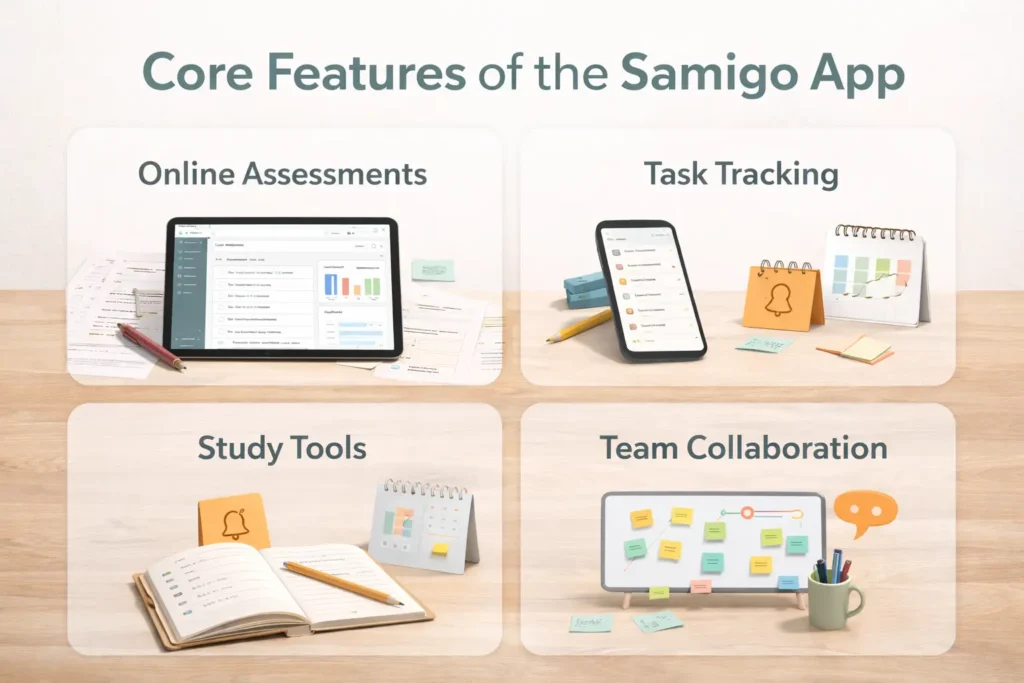
Samigo App’s main strength lies in online assessment management, offering educators a robust set of tools to create quizzes, manage submissions, and analyze results, all within the Sakai learning platform. Beyond that, many users associate it with productivity and study features like task tracking, personalized workflows, and team collaboration. Understanding these core capabilities helps both educators and students see how Samigo fits into academic or project-based environments. Whether you’re administering exams or managing study schedules, the app’s features are designed to improve efficiency, organization, and real-time engagement with tasks and assessments.
Online Assessment Capabilities
Samigo lets instructors build quizzes and exams using various question types, from multiple-choice to essay formats. Teachers can set deadlines, control attempts, and provide immediate or delayed feedback. The app ensures consistency and integrity in grading while allowing results to sync directly with Sakai’s gradebook, making it a reliable tool for educational institutions that rely on structured assessments.
Assessment Management Tools
Organizing assessments is simple with Samigo. Educators can reorder questions, randomize items for security, and group related tasks. Features include late submission handling, attempt limits, and exporting results for analysis. These tools reduce administrative overhead and make it easier for instructors to focus on teaching, while students experience a structured and predictable assessment workflow.
Task and Study Features
Although officially an assessment tool, many blogs describe Samigo as including productivity-oriented features for students. This includes task lists, study reminders, and scheduling tools that help learners stay organized. Even if these features are interpretations or extensions, they reflect why the app is frequently searched by people seeking study management solutions alongside online testing.
Collaboration and Communication
Some interpretations of Samigo emphasize group collaboration, like shared boards, messaging, and real-time notifications. These tools let students work on projects together without switching apps. While not part of the official Sakai assessment functionality, such collaboration features improve engagement, streamline communication, and support group assignments or peer learning in educational settings.
👉 You might also like: GE Translator: Smart Tool for Instant Language Translation
Benefits of Using the Samigo App
The Samigo App offers a range of benefits, especially for educational settings. Its official assessment tools help educators save time while maintaining grading accuracy, offering flexible feedback options, and improving overall classroom efficiency. Students benefit from a structured, predictable testing environment and, in some interpretations, additional task and study management tools. Collaboration features help groups work together effectively. Overall, Samigo enhances productivity, organization, and learning outcomes, making it useful for both instructors and learners looking to manage assignments, quizzes, and projects efficiently within a single platform.
Educational and Productivity Advantages
Samigo supports structured learning by allowing educators to create clear, organized assessments. Students gain a predictable workflow, tracking deadlines, and receiving feedback promptly. Extended features like task lists, reminders, and collaboration tools help users stay on top of assignments and projects, improving both individual and group productivity.
Use Cases for Samigo App
The app is primarily used in schools, colleges, and universities for online quizzes, exams, and learning assessments. Students use it to track study tasks and project deadlines, while instructors use it for grading and performance insights. Some productivity-focused versions appeal to remote teams or study groups who need task management and collaboration tools.
👉 You might also like: icostamp: Digital Verification Made Simple and Secure
Pros and Cons
Pros:
Streamlined online assessments, direct grade integration, flexible feedback, task and study management features, and collaboration support.
Samigo integrates with Sakai, inheriting its security and privacy protocols. Data is encrypted, and access is controlled by user roles. Students and instructors have limited permissions to protect sensitive information. Always ensure you access Samigo through official Sakai portals to prevent unauthorized downloads or data risks.
Cons:
Primarily tied to Sakai LMS, limited availability outside educational institutions, some productivity features may not exist officially and depend on third-party interpretations. Users should evaluate whether the app meets their specific learning or workflow needs.
Conclusion

Samigo App is a powerful tool for online assessments, designed primarily for educators using Sakai LMS. It streamlines quiz creation, grading, and result management while providing students with a clear, structured testing experience. Extended productivity and collaboration features, though sometimes interpreted by third-party sources, add value for learners and study groups. Whether you’re an instructor aiming to simplify assessments or a student seeking organized learning tools, Samigo delivers essential functionality safely and effectively. Always use official access points to ensure security and experience the app’s full benefits.
Frequently Asked Questions About the Samigo App
Is Samigo a real app?
Yes. Samigo is a legitimate tool used by educational institutions worldwide through Sakai LMS. It is not a standalone consumer app on the App Store or Google Play, so always access it through your school or university’s Sakai portal.
Who can use the Samigo App?
Officially, students, instructors, and administrators at institutions using Sakai can use Samigo. Students can take quizzes and view grades, while instructors can manage assessments and grading.
Can Samigo be used outside of schools or universities?
Officially, no. Samigo is designed for educational environments. Some third-party blogs mention study or productivity features, but these may refer to interpretations or tools built around Sakai rather than the core Samigo LMS module.
Is the Samigo App safe to use?
Yes. Samigo inherits Sakai’s security and privacy features, including role-based access and data encryption. Always access it via official institutional portals to protect sensitive information and avoid unofficial downloads.
Does Samigo include collaboration features?
Some versions or extensions mention collaboration tools, like group tasks and messaging. Officially, Samigo focuses on assessments, though it can integrate with Sakai features that allow instructors to coordinate group projects and discussions.
What types of assessments can I create in Samigo?
Samigo supports multiple-choice, true/false, essay, and file-upload questions, among other types. Instructors can set deadlines, limit attempts, randomize questions, and provide feedback, making it a versatile tool for different testing needs.
How are grades and results managed?
All assessments in Samigo are integrated with Sakai’s gradebook. Instructors can automatically record scores, export data for analysis, and provide feedback directly to students, reducing administrative effort.
✨ Smart minds follow smart pages, follow on Milyom.