
What Are Workforce Tools?
Workforce tools are digital platforms designed to help businesses manage employees, communication, productivity, scheduling, and operations more effectively. These tools help in reducing repetitive administrative work and also help in improving workforce visibility and collaboration in many departments. Modern workforce tools often include AI-powered automation, reporting dashboards, cloud accessibility, and real-time analytics that support faster decision-making. Companies use these solutions to manage remote teams, improve employee engagement, optimize staffing, and increase operational efficiency. As hybrid work environments continue growing, workforce tools have become essential for organizations looking to maintain productivity, employee satisfaction, and long-term business scalability in highly competitive industries.
Benefits of Using Workforce Management Software
Workforce management software helps businesses improve productivity, reduce payroll errors, and simplify employee management tasks. Automation reduces repetitive administrative work while giving managers better visibility into workforce performance and scheduling. These platforms also improve employee experience by simplifying communication, attendance tracking, and self-service access. Businesses using workforce management tools often achieve stronger operational efficiency and better workforce planning. As labor regulations and workplace expectations continue changing, workforce software also helps organizations maintain compliance and adapt more quickly to workforce trends and operational challenges.
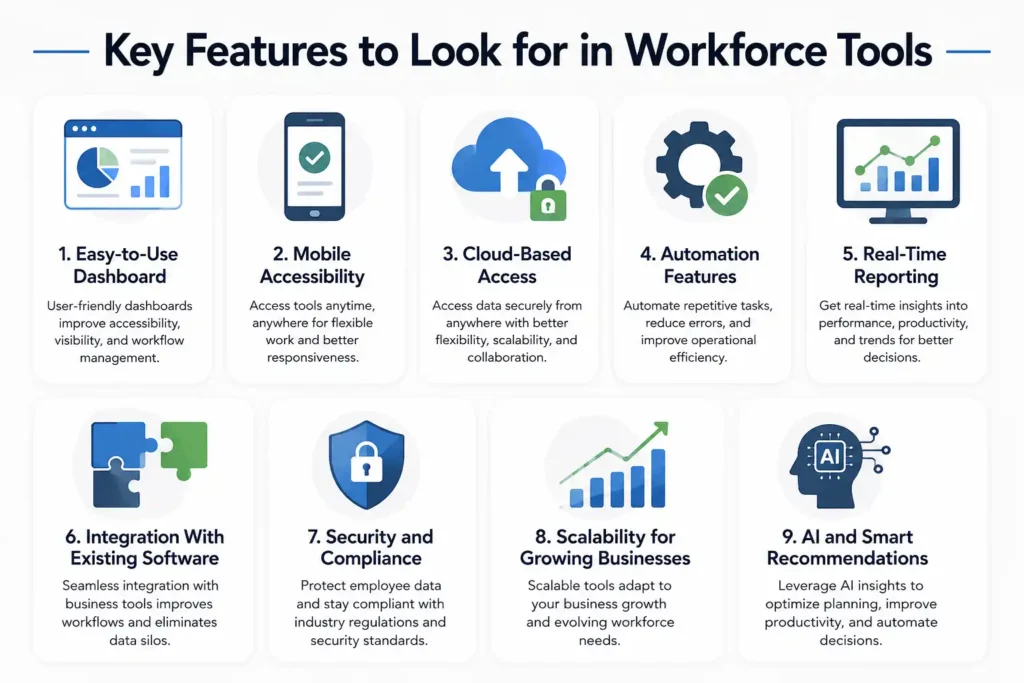
Key Features to Look for in Workforce Tools
Easy-to-Use Dashboard
An easy-to-use dashboard helps employees and managers access important information quickly without technical difficulties. User-friendly workforce tools improve adoption rates and reduce employee training time. Clean dashboards also improve workflow visibility, task management, and reporting accessibility. Businesses benefit from platforms that simplify navigation because employees can focus more on productivity rather than struggling with complicated software interfaces and operational processes.
Mobile Accessibility
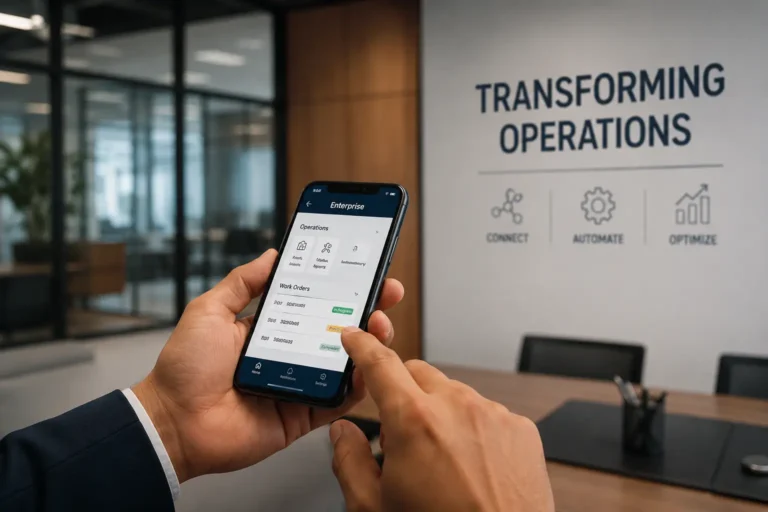
Mobile accessibility allows employees and managers to use workforce tools from smartphones and tablets at any time. This feature is especially important for remote teams, field workers, and frontline employees who need flexible access to schedules, communication, and reporting tools. Mobile-friendly workforce platforms improve responsiveness, employee engagement, and operational flexibility while supporting modern work environments that increasingly rely on remote accessibility.
Cloud-Based Access
Cloud-based workforce tools allow businesses to access workforce data and systems from anywhere with internet connectivity. These platforms improve flexibility, collaboration, and system scalability while reducing the need for expensive on-site infrastructure. Cloud solutions also support automatic updates and data backups. Many businesses prefer cloud-based workforce systems because they improve operational continuity and remote workforce management efficiency.
Automation Features
Automation features reduce repetitive administrative tasks by streamlining workflows such as scheduling, payroll processing, attendance tracking, and employee notifications. Businesses use automation to improve operational efficiency and reduce manual errors. AI-powered automation also helps organizations respond faster to workforce changes. According to Deloitte, automation technologies continue transforming workforce operations across multiple industries and business sectors.
Real-Time Reporting
Real-time reporting allows managers to monitor workforce performance, productivity, attendance, and operational trends instantly. These insights support faster decision-making and help businesses identify performance issues before they grow. Workforce reporting dashboards also improve transparency and accountability across departments. Companies that rely on real-time workforce analytics can respond more effectively to changing operational demands and workforce challenges.
💚 You might also like: Best IG Monetization Tools For Creators in 2026
Integration With Existing Software
Workforce tools should integrate smoothly with existing business systems such as payroll software, CRM platforms, accounting tools, and project management applications. Strong integrations improve operational efficiency by reducing data silos and manual information transfers. Businesses benefit from connected digital ecosystems because employees can work across multiple platforms without workflow disruptions or duplicated administrative processes.
Security and Compliance
Security and compliance features help businesses protect sensitive employee data and maintain regulatory standards. Workforce tools often handle payroll details, employee records, and internal communication, making cybersecurity extremely important. Features such as data encryption, multi-factor authentication, and compliance reporting improve organizational security. Businesses operating globally also require workforce tools that support international compliance regulations and data protection standards.
Scalability for Growing Businesses
Scalable workforce tools support business growth by handling increasing employee numbers, operational complexity, and expanding workflows without performance issues. Growing companies need flexible platforms that adapt to changing workforce demands over time. Scalable solutions reduce the need for frequent software replacements while supporting long-term operational stability, workforce expansion, and evolving business requirements across multiple departments and locations.
AI and Smart Recommendations
AI and smart recommendation features help businesses improve workforce planning, productivity, and operational efficiency through predictive analytics and automation. These systems can identify workforce trends, optimize scheduling, and provide intelligent insights for managers. AI-powered recommendations also improve employee experiences by automating repetitive tasks and supporting faster decision-making. Businesses increasingly rely on AI technologies to maintain competitive operational advantages.
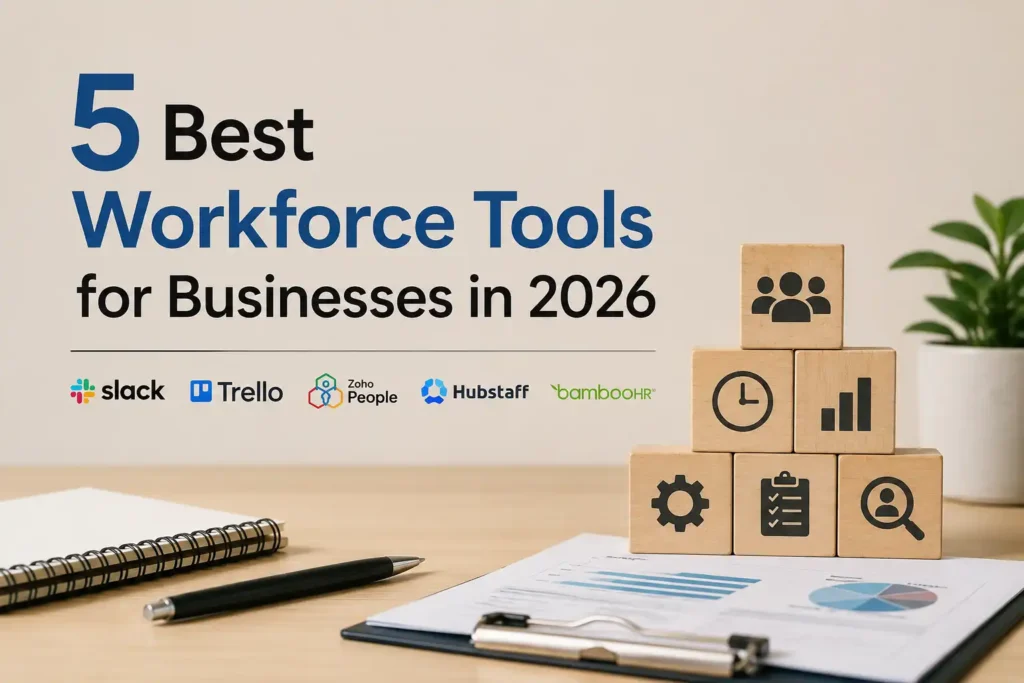
5 Best Workforce Tools
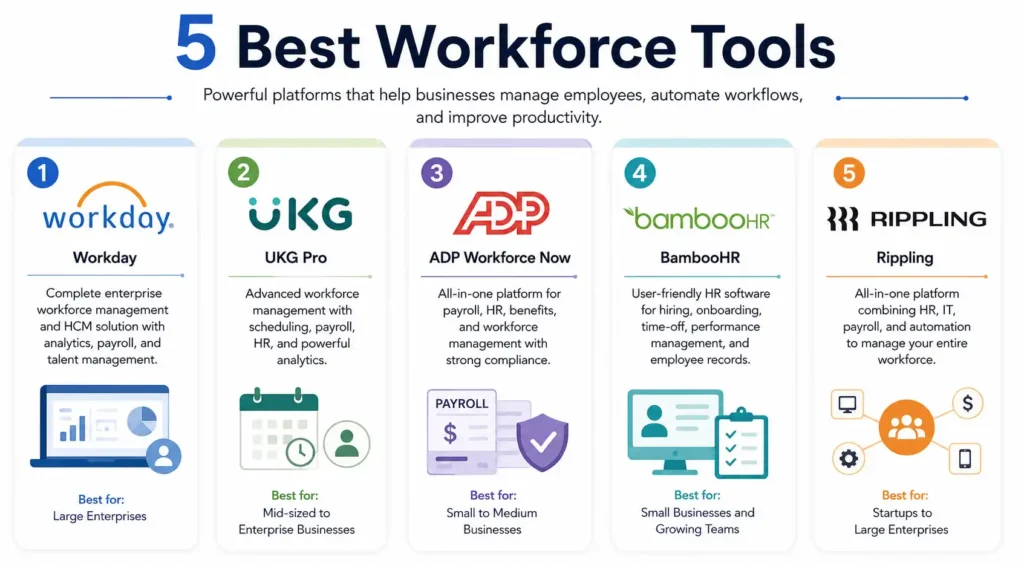
Modern businesses rely heavily on workforce tools to manage employees, improve productivity, and simplify HR operations. From attendance tracking to payroll automation and employee engagement, workforce management platforms help companies save time while improving operational efficiency. According to a report by Gartner, organizations using integrated workforce management software can reduce administrative workload by nearly 30%. Businesses are now prioritizing tools that combine scheduling, communication, analytics, and compliance features in one platform. The right workforce tool not only improves team coordination but also helps companies make smarter staffing decisions using real-time workforce data and automation.
Workday
Workday is widely recognized for enterprise workforce management and human capital management solutions. It offers payroll, workforce planning, employee analytics, and talent management in one centralized platform. Large organizations prefer Workday because of its AI-powered reporting and forecasting capabilities. The platform also helps businesses improve compliance management and employee performance tracking across distributed teams globally.
UKG Pro
UKG Pro is a powerful workforce management platform focused on employee experience, scheduling, and payroll automation. It is especially popular among mid-sized and enterprise businesses. The software includes advanced workforce analytics, attendance tracking, and HR management tools. UKG research shows companies using workforce automation often experience improved employee retention and operational efficiency within the first year.
ADP Workforce Now
ADP Workforce Now combines payroll processing, HR management, benefits administration, and workforce scheduling into a single cloud-based platform. Small and medium-sized businesses use ADP because of its scalability and strong compliance support. The platform also provides detailed workforce insights and reporting tools that help employers monitor productivity, labor costs, and workforce trends effectively.
BambooHR
BambooHR is one of the most user-friendly workforce management tools designed primarily for small and growing businesses. It simplifies hiring, onboarding, time-off management, and employee recordkeeping. Businesses appreciate BambooHR for its clean interface and automation features that reduce repetitive HR tasks. The platform also supports employee satisfaction tracking and performance evaluation processes efficiently.
Rippling
Rippling has quickly become a popular workforce platform because it combines HR, payroll, IT, and employee management into one system. Companies can automate onboarding, device management, app access, and payroll processing from a single dashboard. Its automation-first approach helps businesses reduce manual administrative work while improving workforce visibility and operational control across departments.
💚 You might also like: Best Content Marketing Tools for Growth in 2026
How to Choose the Right Workforce Tools
Choosing the right workforce tools requires businesses to evaluate operational goals, workforce challenges, scalability requirements, and software capabilities carefully. The best workforce platforms improve productivity, communication, and workforce management without creating unnecessary complexity or high implementation costs. Businesses should compare features, integrations, pricing structures, and user experiences before selecting a solution. According to PwC, organizations that invest in digital workforce transformation often achieve stronger operational agility and employee experiences. A strategic selection process helps businesses choose workforce tools that align with current operational needs while supporting future workforce growth and scalability.
Common Challenges Businesses Face With Workforce Tools
Although workforce tools improve productivity and operational efficiency, businesses often face challenges during implementation and long-term adoption. Common issues include employee resistance, integration difficulties, data privacy concerns, and high implementation costs. Organizations must also balance automation with human oversight to maintain healthy workplace cultures and operational transparency. According to KPMG, successful digital transformation depends heavily on employee adoption, leadership support, and operational planning. Businesses that address workforce technology challenges strategically can improve software adoption, operational performance, and long-term workforce management success while reducing disruptions during digital transformation initiatives.
Best Practices for Successfully Implementing Workforce Tools
Start With Clear Goals
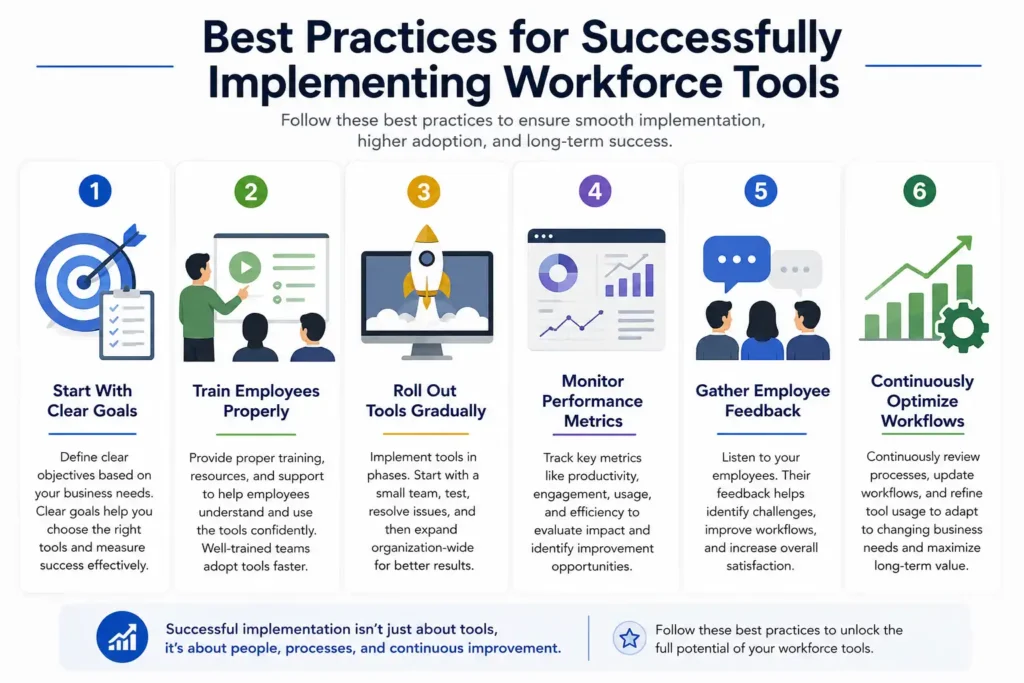
Businesses should define clear operational goals before implementing workforce tools. Organizations may focus on improving productivity, communication, scheduling, or workforce visibility depending on operational needs. Clear objectives help businesses select suitable technologies and measure implementation success accurately. Strategic planning also reduces unnecessary costs and improves long-term workforce technology adoption across departments and operational teams.
Train Employees Properly
Employee training is essential for improving software adoption and operational efficiency during workforce tool implementation. Businesses should provide onboarding sessions, tutorials, and ongoing technical support to help employees understand new systems. Proper training reduces confusion and improves workforce confidence. Organizations with strong workforce education programs often achieve faster adoption rates and smoother digital transformation experiences.
Roll Out Tools Gradually
Gradual software rollouts help businesses reduce operational disruptions and identify implementation issues before large-scale deployment. Companies can test workforce tools within smaller teams before expanding usage organization-wide. This strategy improves troubleshooting, employee adaptation, and workflow adjustments during implementation. Gradual adoption also allows businesses to gather feedback and optimize systems before full workforce integration occurs.
Monitor Performance Metrics
Businesses should monitor workforce performance metrics after implementing new workforce technologies to evaluate operational improvements and software effectiveness. Key metrics may include productivity, employee engagement, scheduling efficiency, and communication performance. Performance tracking helps organizations identify strengths and operational gaps. Companies that rely on measurable insights can optimize workforce systems and improve long-term technology outcomes.
Gather Employee Feedback
Employee feedback helps businesses understand how workforce tools affect productivity, communication, and overall workplace experiences. Organizations should encourage employees to share concerns, suggestions, and usability challenges during implementation. Feedback-driven improvements help businesses optimize workforce systems more effectively. Companies that involve employees in digital transformation projects often improve engagement and long-term software adoption success.
Continuously Optimize Workflows
Businesses should continuously optimize workforce workflows to maintain operational efficiency and adapt to changing organizational needs. Workforce technologies require regular updates, process improvements, and performance evaluations to remain effective. Companies that prioritize continuous optimization can improve productivity and workforce coordination over time. Ongoing improvements also help businesses maximize the long-term value of workforce management investments.
💚 You might also like: Tools Like Ahrefs: Best SEO Alternatives 2026
Frequently Asked Questions About Workforce Tools
What are workforce tools used for?
Workforce tools help businesses manage employee operations, communication, scheduling, collaboration, productivity tracking, and workforce analytics. These platforms reduce administrative workloads while improving operational visibility and workforce coordination. Companies use workforce tools to automate repetitive processes and improve employee experiences. Modern workforce systems also support remote work management and AI-powered workforce planning strategies.
Which workforce tools are best for small businesses?
Small businesses often prefer workforce tools that are affordable, cloud-based, and easy to implement without large technical teams. Popular options include communication platforms, scheduling software, productivity tracking systems, and payroll management tools. Businesses should select tools based on operational needs and scalability requirements. Flexible workforce technologies help smaller organizations improve efficiency while supporting long-term business growth.
Are workforce tools expensive?
The cost of workforce tools depends on software features, workforce size, integrations, and operational complexity. Some platforms offer affordable subscription plans designed for startups and small businesses, while enterprise systems may require larger investments. Many organizations achieve long-term savings through automation and operational efficiency improvements. Businesses should evaluate both pricing structures and long-term return on investment before purchasing workforce technologies.
Can workforce tools improve employee productivity?
Workforce tools can improve employee productivity by streamlining communication, automating repetitive tasks, improving collaboration, and providing real-time operational visibility. These platforms help employees manage workflows more efficiently while reducing manual administrative work. Businesses also benefit from analytics and productivity insights that support operational improvements. Strong workforce systems create more organized and efficient work environments for employees.
What is the difference between HR software and workforce tools?
HR software mainly focuses on employee records, payroll, recruitment, and benefits administration. Workforce tools cover broader operational functions, including communication, collaboration, workforce analytics, scheduling, productivity tracking, and automation. Many businesses combine HR software with workforce tools to create complete workforce management ecosystems. Integrated systems improve operational coordination and support long-term organizational efficiency across departments.
Are AI workforce tools safe to use?
AI workforce tools can be safe when businesses implement strong cybersecurity protections, ethical AI policies, and transparent workforce practices. Organizations should ensure employee data remains protected through encryption, access controls, and compliance standards. Businesses must also monitor AI systems for bias and operational accuracy. Responsible AI implementation improves workforce efficiency while maintaining employee trust and data security.
Which industries benefit most from workforce tools?
Industries such as healthcare, retail, manufacturing, logistics, hospitality, customer support, and technology benefit significantly from workforce tools. These sectors often manage large teams, complex scheduling, and operational workflows that require digital coordination. Workforce technologies improve communication, staffing efficiency, productivity tracking, and workforce visibility. Businesses across multiple industries increasingly rely on workforce tools to improve operational performance and scalability.
💚 You might also like: Awius: Complete Guide to This Marketing Tool
Conclusion
Workforce tools have become essential for businesses that want to improve productivity, communication, employee engagement, and operational efficiency in modern digital workplaces. From AI-powered automation to workforce analytics and remote collaboration systems, these technologies continue transforming how organizations manage employees and daily operations. According to the World Economic Forum, digital workforce transformation will remain a major priority for businesses over the coming years. Companies that invest in scalable and intelligent workforce technologies often gain stronger operational flexibility and long-term competitive advantages. As workforce management continues evolving, businesses that embrace innovation early will be better prepared for future workforce challenges and opportunities.
✨ Keep your knowledge sharp. Follow Milyom.